Printer Accessories for Everyday and Business Printing
Printer accessories include the supplies, replacement parts, and add-ons that help printers produce documents, photos, labels, and other materials. Common options include ink cartridges, toner, paper, printheads, cables, extra paper trays, and maintenance kits. The right choice depends on the printer type, how often it is used, and the work it needs to handle. Home users may prioritize photo paper and dependable ink, while busy offices may need high-capacity toner, additional trays, or finishing attachments. Before shopping, identify the printer's make and exact model, then check the product documentation for compatible supplies and supported features. Ubuy offers a way to discover printer accessories from international product selections, making it easier to explore different supply and equipment options in one place.
- Supplies, parts, and add-ons for different printing needs
- Check printer make and model before choosing accessories
- Consider print volume, media, and intended use
Ink, Toner, and Other Printer Consumables
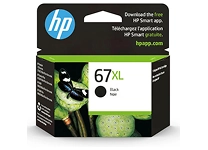
Ink and toner are essential consumables, but they are not interchangeable. Inkjet printers use liquid ink cartridges or refill systems, often suited to color graphics and photo printing. Laser printers use toner powder in cartridges, with some models also requiring a separate drum unit. Other replaceable supplies can include printheads, waste-ink containers, maintenance boxes, and fuser units. Cartridge design, color configuration, and page-yield estimates vary, so confirm the precise cartridge number and printer compatibility rather than relying on appearance alone. Original equipment manufacturer options from brands such as HP, Canon, Epson, and Brother are identifiable by model and part number; compatible alternatives may differ in design and specifications. Compare expected usage and replacement requirements, and follow printer instructions for installation and storage.
- Ink cartridges serve inkjet printers; toner serves laser models
- Check cartridge numbers and printer compatibility
- Consider drums, printheads, and maintenance parts
Paper, Labels, and Specialty Printing Media
The printing surface affects appearance, feeding, and finished quality, so match media to both the job and the printer. Everyday copy paper is a practical choice for routine documents, while heavier stocks can suit presentations or invitations when the printer supports them. Photo paper is available in glossy, satin, and matte finishes; labels, envelopes, card stock, and transfer media each have specific handling requirements. Check the supported paper size, weight range, coating, and feed path in the printer manual before loading specialty media. For duplex printing, confirm that the paper is suitable for printing on both sides and that the device supports automatic duplexing. Keeping paper dry and flat helps reduce feeding issues. Ubuy can help shoppers discover international printer paper and specialty media options to compare by format and intended use.
- Choose paper by size, weight, finish, and printer support
- Specialty media includes labels, envelopes, and photo paper
- Store sheets flat and dry to support reliable feeding
Printer Parts, Connectivity, and Workflow Upgrades
Accessories can also expand a printer's capacity or restore its operation. Additional input trays reduce the need to reload paper, while output trays and compatible finishers can support higher-volume document workflows. Replacement rollers, fuser assemblies, drums, and maintenance kits are model-specific parts, so verify part numbers and installation guidance before purchasing. Connectivity accessories may include USB printer cables, network adapters, or print servers, although many modern printers connect through built-in Wi-Fi or Ethernet. Check the device's available ports, operating system requirements, and network capabilities before selecting an add-on. For shared workspaces, consider whether the printer supports the desired connection method and user setup. Choose accessories that address a real workflow need, and consult the manufacturer's documentation when a component affects printer operation or requires technical installation.
- Trays and finishers can support specific office workflows
- Verify part numbers for replacement components
- Match connectivity accessories to printer ports and network support
Compatibility, Installation, and Printer Care
Compatibility is the first purchasing check for nearly every printer accessory. Match supplies and parts to the exact model, series, and, where relevant, regional product code shown on the printer or its documentation. For cables and network accessories, verify connector types and supported interfaces; for paper, check dimensions and media specifications. Install cartridges and components according to the manufacturer's instructions, avoiding contact with sensitive surfaces such as printhead nozzles or drum areas. Routine care may include clearing paper debris, cleaning accessible rollers as directed, and replacing maintenance components when the printer indicates they are due. Store consumables in their recommended conditions and keep packaging until fit is confirmed. Ubuy provides a platform for discovering international printer accessories, but shoppers should independently verify product details and compatibility before ordering.
- Confirm exact model and part details before purchase
- Follow manufacturer instructions for installation and care
- Check interfaces, media specifications, and storage guidance
Select the Right printers accessories
Start by identifying the printing task: everyday documents, high-volume office output, photographs, labels, or specialty media. Then check the printer model and prioritize accessories that directly support that use, such as the correct ink or toner, suitable paper, a replacement drum, or an additional tray. Compare capacity, media specifications, connection type, and installation requirements rather than choosing by product appearance alone. If deciding between consumable options, review the printer maker's compatibility information and consider how frequently each supply needs replacement. For parts that affect internal mechanisms, confirm whether installation is user-serviceable or should be handled by a technician. Keep a record of cartridge and component numbers for easier replenishment. A well-matched accessory can help maintain print quality, reduce interruptions, and make the printer more useful for its intended workload.
- Begin with the print task and exact printer model
- Compare compatibility, capacity, and installation needs
- Choose accessories that solve a specific workflow need