Explore Laptop Types and Form Factors
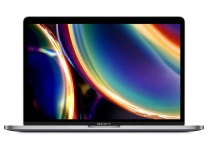
Laptops combine a screen, keyboard, pointing device, battery, and computing hardware in a portable format, but different designs suit different routines. Traditional clamshell laptops are versatile choices for work, study, and everyday browsing. Ultrabooks emphasize slim construction and low weight, while business laptops often prioritize durability, security features, and convenient docking. Two-in-one laptops have hinges that fold or detach for tablet-style use, making touch input useful for notes, drawing, or presentations. Gaming laptops typically pair dedicated graphics with stronger cooling and high-refresh-rate displays. Chromebooks use ChromeOS and are designed around web apps and cloud-based workflows. When comparing laptop computers, consider how often you travel, whether you need touch or pen input, and how much performance your regular tasks require. Ubuy helps shoppers discover international laptop products across these form factors.
- Clamshell, ultrabook, convertible, and gaming designs
- Choose a form factor around portability and daily tasks
- Compare keyboard, ports, and screen size before purchase
Compare Laptop Processors, Memory, and Storage
A laptop's processor, memory, and storage determine how it handles everyday work and demanding applications. Processors from Intel, AMD, and Apple differ by model and generation, so compare performance characteristics rather than relying on brand alone. More cores can help with multitasking and workloads such as video editing, while efficient chips can support longer unplugged use. RAM keeps active apps and browser tabs readily accessible; 8 GB may suit basic use, while 16 GB or more can provide greater headroom for heavier workloads. Solid-state drives (SSDs) load apps and files quickly, and larger capacities leave more room for games, media, and projects. Some laptops allow memory or storage upgrades, but many have components that cannot be replaced easily. Check specifications, upgrade options, and application requirements before choosing.
- Compare processor generation and workload needs
- Balance RAM capacity with multitasking habits
- Choose SSD capacity for apps and personal files
Assess Laptop Displays, Battery Life, and Build
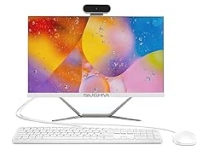
Display quality affects comfort and clarity during long work sessions, entertainment, and creative tasks. Screen size influences both viewing space and portability; resolution, brightness, color coverage, and refresh rate help distinguish panels within the same size. A high-refresh-rate display can make motion appear smoother, while accurate color reproduction matters for photo and video work. Touchscreens and stylus support are useful for interactive tasks but are not essential for every buyer. Compare stated battery capacity and independent test conditions where available, since actual runtime varies with brightness, software, and workload. Chassis materials, hinge construction, keyboard layout, and trackpad response also shape daily usability. Look for practical connections such as USB-A, USB-C, HDMI, an audio jack, or a memory-card reader, and check whether USB-C supports charging or display output.
- Compare resolution, brightness, and refresh rate
- Consider weight, keyboard comfort, and hinge design
- Check ports, charging support, and battery expectations
Match Laptop Features to Work, Study, and Play
The right laptop depends on the applications and environment it must support. Students may value a manageable weight, comfortable keyboard, webcam, and battery suited to classes or library sessions. Office users can compare business laptops with features such as fingerprint readers, privacy controls, and docking support, while checking software and IT requirements. Creators should assess processor capability, RAM, color performance, and graphics hardware for their editing tools. Dedicated GPUs can benefit demanding games and some creative workloads, whereas integrated graphics may be sufficient for browsing, streaming, and common productivity apps. Operating systems also affect app compatibility: Windows, macOS, and ChromeOS offer different software ecosystems and workflows. Review minimum system requirements for essential programs, accessibility options, and video-call needs. A clear match between intended use and hardware helps avoid paying for features that will rarely be used.
- Match hardware to software and workload demands
- Check operating-system and application compatibility
- Consider webcam, microphone, and security features
Check Laptop Compatibility, Accessories, and Care
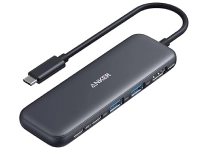
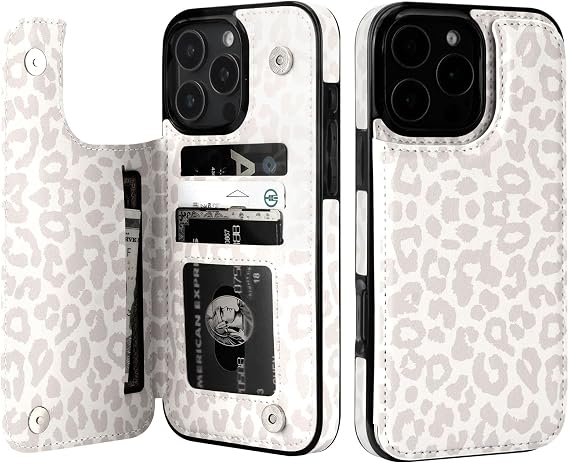
Accessories can make a laptop more comfortable and capable, provided they connect correctly. USB-C docks and hubs may add displays, wired networking, or extra USB ports, but supported functions depend on the laptop's port standards. Confirm display resolution and refresh-rate support before pairing an external monitor. A compatible charger should meet the device's power requirements, while a protective sleeve or case should fit its screen dimensions and shape. Wireless mice, keyboards, headsets, and styluses also require the right connection or device support. Keep vents clear, use the laptop on a firm surface, and follow manufacturer guidance for cleaning the screen and keyboard. Backing up important files and installing software updates can support reliable everyday use. Ubuy offers a place to discover international laptop models and related accessories; check each product's specifications for fit and compatibility.
- Verify dock, charger, and monitor specifications
- Choose cases by exact laptop dimensions
- Keep vents clear and follow care guidance
Select the Right laptops
Start by listing your essential tasks, preferred operating system, and must-have software, then set a realistic budget for the specifications those tasks require. Compare processor, RAM, SSD capacity, graphics, display, weight, and ports across models rather than choosing by one headline feature. Check whether the keyboard layout, webcam, wireless connectivity, and charging method suit your routine. For frequent travel, portability and battery considerations may outweigh a large screen; for gaming or content creation, graphics capability and cooling may be more important. Review upgradeability and the manufacturer's product documentation, especially when memory or storage is non-replaceable. Ubuy can help you explore international laptop options, so read individual listings carefully and confirm the exact model configuration, included accessories, and technical compatibility before making a purchase. A focused comparison makes it easier to select a laptop that fits your needs today and anticipated workloads.
- Prioritize essential tasks and system requirements
- Compare the exact model configuration carefully
- Balance performance, portability, and long-term needs